In my last post, I talked about the constructivist learning theory. I decided to make a Prezi presentation about it. This is the link:
https://prezi.com/view/AWZBA6nrHOsVSl4Y2V8R/
In my last post, I talked about the constructivist learning theory. I decided to make a Prezi presentation about it. This is the link:
https://prezi.com/view/AWZBA6nrHOsVSl4Y2V8R/

There are three types of learning theories: behaviorist, cognitivist and constructivist. Out of these three, the theory that I identify with is the constructivist learning theory. Constructive theorists believe that knowledge is not discovered, it is built; the student builds their knowledge from their own way of being, thinking and interpreting information. I believe that the student is the most important actor in learning since they actively build their knowledge, relates the new information with the information they have. The educator promotes learning which fosters learning situations that allow scaffolding to develop knowledge. This theory does not focus on memorizing but rather it focuses on stimulating students in the classroom.
In this type of learning, students are required to participate more. The educator’s role is to serve as a guide and allow the students to reach the proposed objectives. This theory establishes useful learning because when it is carried out in an ideal way, it ensures significant knowledge and encourages rigor in students.
Some constructive strategies that I would use in my classroom is to engage students in an approach by presenting real stories to lead them to question the best alternative decisions. Also, I will allow my students to discover and develop their own system of understanding and managing problem solving. Additionally, I will include lots of collaborative projects in the classroom. I think that the students will find the projects fun, motivating, and challenging because they will play an active role in both their choice and the entire planning process.
A learning activity that promotes constructivist learning is blogging. Blogs are a personal space for students to write and illustrate with images and video. They can express their thoughts and the educator can approach and verify how the learning process of the students is going individually.
In this website, https://www.state.nj.us/education/cccs/2014/tech/8.pdf, there are technology standards that demonstrate what students are expected to learn. I picked out four and described an activity I would plan so my students can meet those standards.
Use basic technology terms in the proper context in conversation with
peers and teachers (e.g., camera, tablet, Internet, mouse, keyboard, and
printer).
Grade Level: Preschool
To help my students meet this standard, I would ask them to explain what a camera is or what can they use the Internet for.
Create a story about a picture taken by the student on a digital camera or
mobile device.
Grade Level: Preschool
In preschool, I can have my students take pictures of their peers making a variety of facial expressions. At the end, I can ask them to describe the expression and if they can recreate the same one.
Develop an understanding of ownership of print and nonprint information.
Grade Level: K-2
Students will learn what it means to give credit when using content they find online. They will search up images and post it on Word Document and find the owner who took that picture and give them credit.
List and demonstrate the steps to an everyday task.
Grade Level: K-2
To help my students meet this standard, I would start with supplies for one table setting so they can begin learning how to set their own place for dinner. I would show them each piece of tableware and make sure they know the proper name for each item. I would then hand each item to the student as I describe the steps. After that, I would have them to describe the steps.
I read an article by Keith Heggart called “What We’re Getting Wrong About the Technology in Schools debate.” He talks about the role of technology in schools. Im going to answer the 5 questions he posted in the article and talk about whether technology should be used in schools or not.
Is there truth in his argument? Maybe technology could be a distraction for some people, but I think technology should still be used in schools.
Well, you might ask, if you’re not answering those questions, what’s the point of this post? The point of this post is to discuss whether or not technology should be used in schools. If used correctly, then yes.
In other words, in what way do we use technology? Well, in our everyday lives we use technology for communication, gps, emails, the internet. Today schools use computers, laptops, tablets and even smartphones.
If technology has become an ever-present constant in our lives, then surely one of the most important things that schools must do is teach students how to use it effectively and meaningfully? Why shouldn’t we teach them about using technology safely and effectively?
Technology can be used to create a meaningful learning experience for both the teacher and student. Teachers can connect with all of their students. By encouraging collaboration, students will have the opportunity to enhance the interaction between their peers and their teachers as well.
My thoughts
A few years ago, students could only access education in person. They had large quantities of books and notebooks, and searching for information manually took a lot of time. Technology in education has made learning easier, more comfortable, and even affordable. The advantages of educational technology in education are numerous. Students can interact, play and learn from various platforms. They can also learn at a distance and at flexible times, and customize their lessons according to their needs. Teachers have excellent organizational, planning and teaching tools, which saves a lot of time to review or move faster. Technology will always be a part of our lives whether we like it or not. Technology is already a large part of students lives outside so incorporating it into their education is a good idea.

The International Society for Technology in Education (ISTE) is an international organization that seeks to transform teaching and learning through technology and adherence to the ISTE Standards.
The ISTE Standards for Students are very important because the purpose of education is to ensure student learning. The learning environment is technology which can accelerate the rate of learning. The following standards are geared to empower student voice and ensure that learning is a student-driven process.
Empowered Learner
Students leverage technology to take an active role in choosing, achieving and demonstrating competency in their learning goals, informed by the learning sciences.
Digital Citizen
Students recognize the rights, responsibilities and opportunities of living, learning and working in an interconnected digital world, and they act and model in ways that are safe, legal and ethical.
Knowledge Constructor
Students critically curate a variety of resources using digital tools to construct knowledge, produce creative artifacts and make meaningful learning experiences for themselves and others.
Innovative Designer
Students use a variety of technologies within a design process to identify and solve problems by creating new, useful or imaginative solutions.
Computational Thinker
Students develop and employ strategies for understanding and solving problems in ways that leverage the power of technological methods to develop and test solutions.
Creative Communicator
Students communicate clearly and express themselves creatively for a variety of purposes using the platforms, tools, styles, formats and digital media appropriate to their goals.
Global Collaborator
Students use digital tools to broaden their perspectives and enrich their learning by collaborating with others and working effectively in teams locally and globally.
My favorite standard is the creative communicator and global collaborator. Three learning activities I could assign my students to help them reach this standard are:

Thinglink is a media platform that allows educators and students to create interactive images by tagging content to a photo. I created a thinglink about the solar system. I chose a background of the solar system from google. Then, I added tags that link the viewer to multimedia resources such as images and text. I searched up all my images from google. The solar system video I got from youtube. That’s basically what I did. It is pretty simple.

In 2018, Governor Murphy announced a $2 million in grant money will go to several public high schools to help students gain computer skills needed for technology and for future jobs. These four websites that I will mention below are for students who can learn all about coding.
Code.org is a website where you can learn computer science. You learn how to create games. You also learn computer science concepts such as AI, machine learning, training data. Students can learn techniques to create and crack encrypted messages. What I like about this website is that it includes tutorials and all the courses are free. Also this website is not only for students but for teachers and parents as well.
Coderdojo is a global volunteer movement where volunteers help young people where they can learn about coding. They learn code for free and interact with tech professionals. I like how you can volunteer and have no technical experience. They’ll take you no matter what. Also this is a fun and great way for students to learn about coding while making friends. Also, if you want to start a club, there is a free online training program. The only thing I dislike is that it doesn’t provide online courses. Not everyone has transportation.
Tynker is a website where children learn how to make games and programs. It has fun coding games however it doesn’t provide enough instruction.
Codecademy is a code learning service. They offer a variety of services such as HTML, CSS, Python, Java, etc. I don’t really know much about the website because you have to pay. There is a free trial but you have to pay for the free trial which doesn’t make any sense.

Some say teaching is an art while others say teaching is a science. In my opinion, teaching is a little bit of both.
How is teaching an art?
Well first of all, it is an internal ability that manifests itself as a facility to produce a certain type of work. Having the ability to communicate a topic or convey information in an easy understandable way is an art. Also having the ability to stimulate learning in their students is an art. Art is the quality that occurs in the teacher, who perfects their faculties mainly in the intellectual field.
How is teaching a science?
Achieving learning a series of concepts, procedures, values and attitudes that try to mentally produce the main ideas that make up the art of teaching. In order to meet the learning needs of all students, educators will have to find different strategies and techniques to see if it will work.
What do you think?
If you are a visual learner, you learn by seeing and reading the information. I found three tools that can be helpful for visual learners. You may find these instructional tools helpful to use in your classroom or if you are studying for an exam.
MindMeister

MindMeister can be used to brainstorm ideas. It can be used by educators and students as well. MindMeister is really easy to use and you can access it anywhere, on your phone or PC. It is a great way to organize your thoughts.
Prezi
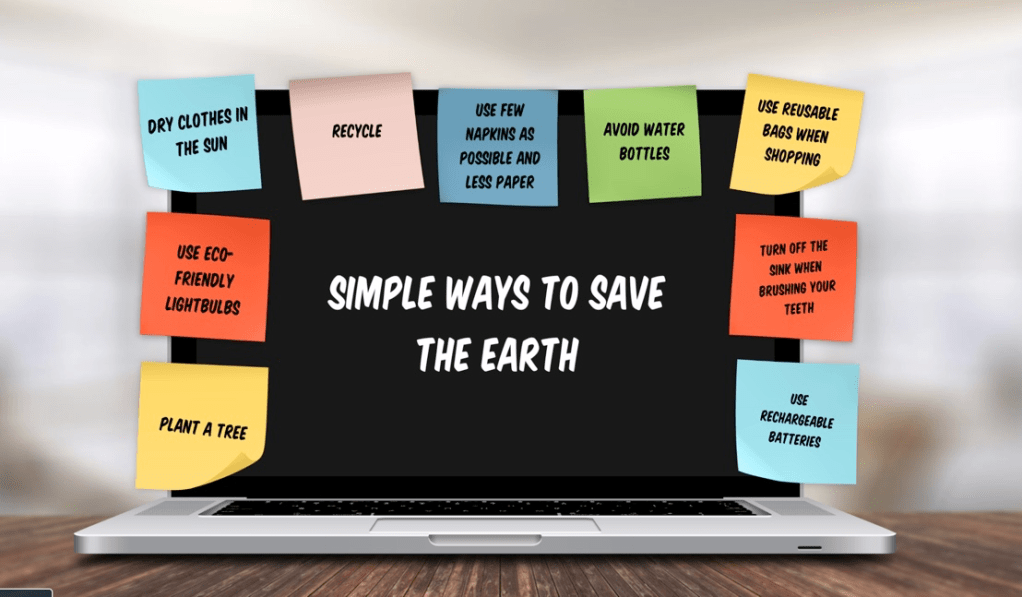
Prezi is a presentation tool that can be used to present any information. I love this tool and I think it is better than PowerPoint. It is more impressive and more creative than PowerPoint. It is almost like you are telling a story when you use Prezi. It is fun.
Visuwords
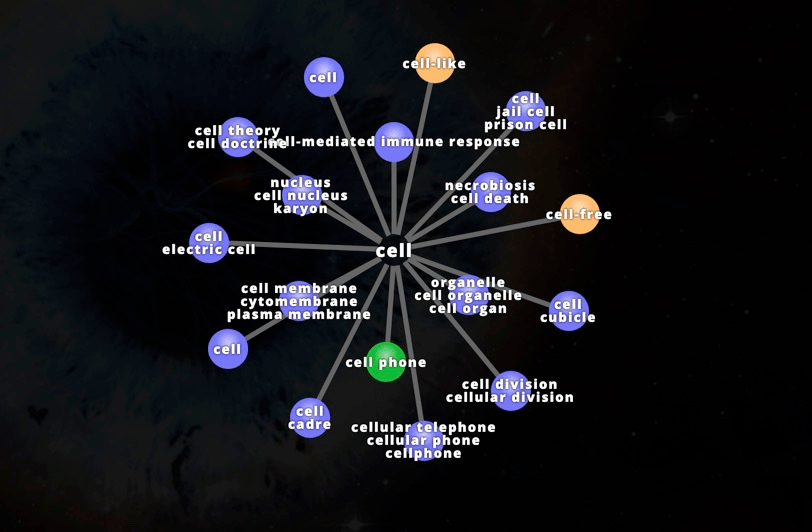
Visuwords is an online dictionary where you can look up a word to find their meanings and associations with other words. I think it is a great way to learn about words. Instead of using dictionaries, this tool can make learning fun.
How important is technology in education? Very important. Through the use of technology, educators can accommodate their student’s learning needs. In this website, https://tech.ed.gov/teachers/, educators can use the resources to learn how to use technology in their classroom. I found three resources that I found interesting:

Reimagining the Role of Technology in Education:
Technology can transform student learning. It helps the relationship between educators and students. The National Education Technology Plan (NETP) sets a plan for learning enabled by technology. It is written for teachers, policymakers, administrators and teacher preparation professionals. Technology enabled learning allows students to find resources that can help them for the future. For example, students who struggle with planning for college and career can access high quality online mentoring and programs.
Reimagining the Role of Technology in Higher Education:
Students in higher education need an ecosystem that is flexible, efficient and affordable. Administrators and educators should consider policies that adapt to the student’s learning needs. Three principles include: 1) help students make wise financial decisions about higher education. 2) Enable advisors to help students progress through changing needs and circumstances. 3) Create a network of learning that supports students as creators and entrepreneurs, and agents of their own learning.
Advancing Educational Technology in Teacher Preparation:
Every teacher preparation program should have a set of skills regarding educational technology that reflects modern teaching and learning environments. An entire
ecosystem of educational technology tools has emerged over the last five years that can help build a more informed and continuously improving teaching force in America. Now pre-service teachers can connect with these tools.

 Techducation